42+ Best Desk Setup Ideas for a Stylish Workspace
Have you ever sat down at your desk and felt uninspired? Maybe your cables are everywhere, your monitor hurts your neck, or your space just feels cluttered and chaotic. You’re not alone. A lot of people spend hours at their desks every day without ever thinking about whether that space is actually working for them.
The truth is, your desk setup affects everything. Your focus, your mood, your productivity, even your posture. The good news? You don’t need a massive budget or an interior designer to create a workspace that feels both functional and beautiful.
Whether you work from home, game for hours, or just need a dedicated creative corner, these desk setup ideas will help you build something you’re genuinely proud of.
Desk Setup Ideas
Let’s be real. Most desks start as a flat surface with a laptop and a charger. Maybe a cold cup of coffee. But the best desk setups tell a story. They reflect who you are and how you work. They’re organized without being sterile, personalized without being distracting, and comfortable without sacrificing style.
This guide walks you through 42 practical, creative, and genuinely useful desk setup ideas. From ergonomics to aesthetics, cable management to ambient lighting, there’s something here for every type of workspace.
Read More: What Is an Eventbrite Promo Code and How to Use It?
Choose the Right Desk
Everything starts here. The desk itself is the foundation of your entire setup, so picking the right one matters more than people think.
Think about your work style first. Do you spread out with multiple notebooks and gadgets? Go wider. Working in a tight apartment? A compact L-shaped desk or a wall-mounted fold-down option can save serious space. Corner desks are brilliant for making use of awkward room layouts while giving you plenty of surface area.
Material matters too. Solid wood feels warm and premium. Glass looks sleek but shows every fingerprint. Laminate is affordable and surprisingly durable. Pick what fits your lifestyle, not just what looks good in a photo.
Elevate Your Monitor
Your monitor height has a bigger impact on your body than you’d expect. When the screen sits too low, you hunch forward. Do that for eight hours a day and your neck and shoulders will let you know about it.
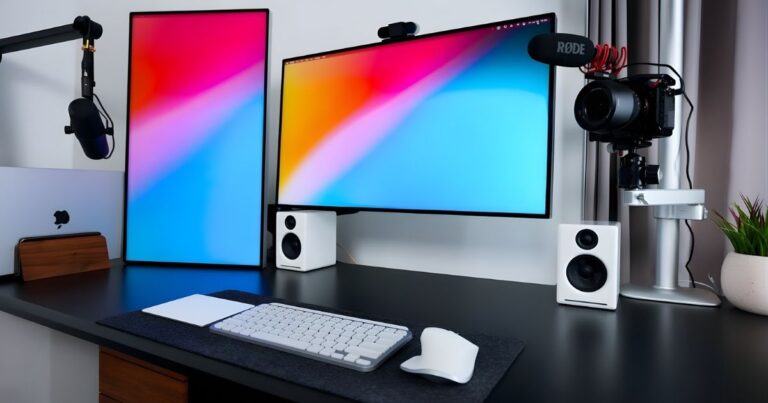
A monitor arm or a simple monitor riser can fix this instantly. You want the top of your screen at roughly eye level, about an arm’s length away. It sounds minor but it changes how long you can comfortably work before fatigue sets in.
Monitor arms also free up desk real estate underneath, which is a quiet win for keeping your space clean.
Opt for a Laptop Stand Setup
If you work primarily on a laptop, a stand is one of the smartest investments you can make. It brings your screen up to a healthier height and encourages you to pair it with an external keyboard and mouse, which dramatically reduces wrist strain.
Laptop stands come in all shapes. Adjustable aluminum ones look sharp and stay cool. Wooden stands add a warmer, more artisanal feel. Some fold flat for travel. Whatever you choose, your neck will thank you within the first week.
Incorporate a Desk Pad
This one surprises people. A desk pad, sometimes called a desk mat, seems like a minor addition. But it completely transforms how your desk looks and feels.
It protects your desk surface, gives your mouse a smooth and consistent tracking surface, and visually anchors all your accessories into one cohesive zone. A large leather or suede pad in a neutral tone can make even a budget desk look put-together and intentional.
Choose a size that fits most of your desk surface. Oversized is usually better than undersized here.
Use a Comfortable Keyboard and Mouse
You use these every single day. Possibly for six to ten hours. So it makes sense to invest in ones that actually feel good to use.
Mechanical keyboards are popular because of their tactile feedback and durability. If you work in a shared space or take calls, a quieter switch type keeps things professional. For mice, an ergonomic shape that fits your grip style reduces tension across your wrist and forearm over long sessions.
Wireless options reduce cable clutter too, which helps with the overall aesthetic of your setup.
Optimize Monitor Setup
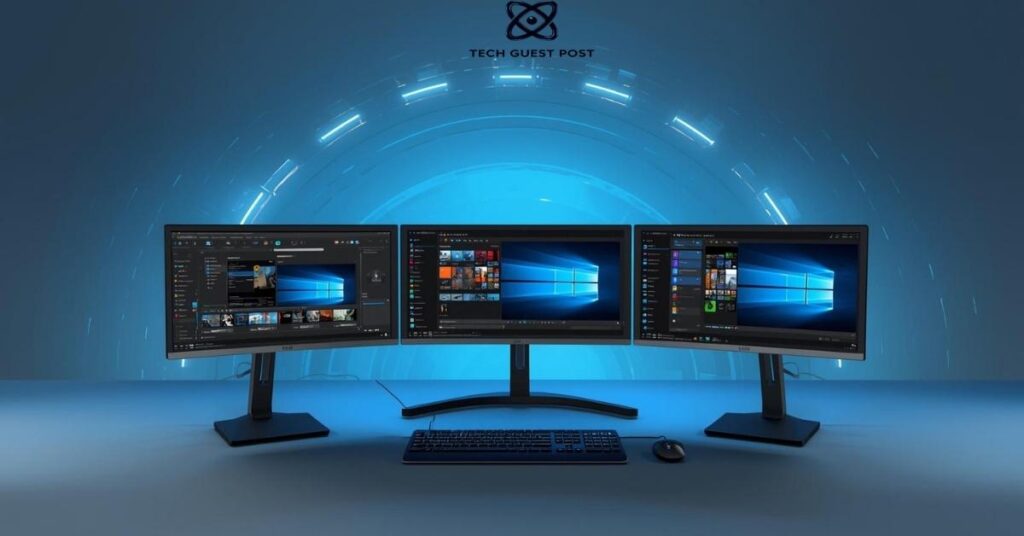
For most people doing creative work, development, or research, a dual monitor setup is a genuine productivity upgrade. Having two screens means less tab switching, better multitasking, and a smoother overall workflow.
If you go dual, align them at the same height and angle them slightly inward so your neck stays in a natural position. One screen for your primary work, one for reference material, communication tools, or media. It sounds simple because it is. But the difference it makes day to day is hard to overstate.
Use Drawer Dividers
Open a desk drawer and stare into chaos, you lose time every time you go looking for something. Drawer dividers solve this almost immediately.
Bamboo or acrylic dividers let you separate pens, chargers, sticky notes, scissors, and other small items into their own zones. It takes about ten minutes to set up and saves you a surprising amount of mental energy throughout the day. Clutter in your physical environment genuinely affects cognitive clarity.
Add a Desk Shelf or Organizer
Vertical space above your desk is often completely wasted. A small shelf or desktop organizer changes that. You can keep books, a small plant, a speaker, or decorative items elevated and off the main work surface.
This approach keeps your desk pad clear for actual work while still letting you personalize the space. Floating shelves fixed to the wall just above the desk level work beautifully for this too.
Install a Monitor Light Bar
A monitor light bar sits along the bottom edge of your screen and casts light downward onto your desk surface without creating glare on the monitor itself. It’s a sleek, modern alternative to a traditional desk lamp.
The best ones have adjustable color temperature, so you can switch between warm light in the evening and cooler daylight tones during focused work sessions. It’s a small detail that makes a noticeable difference in eye comfort, especially during late-night work sessions.
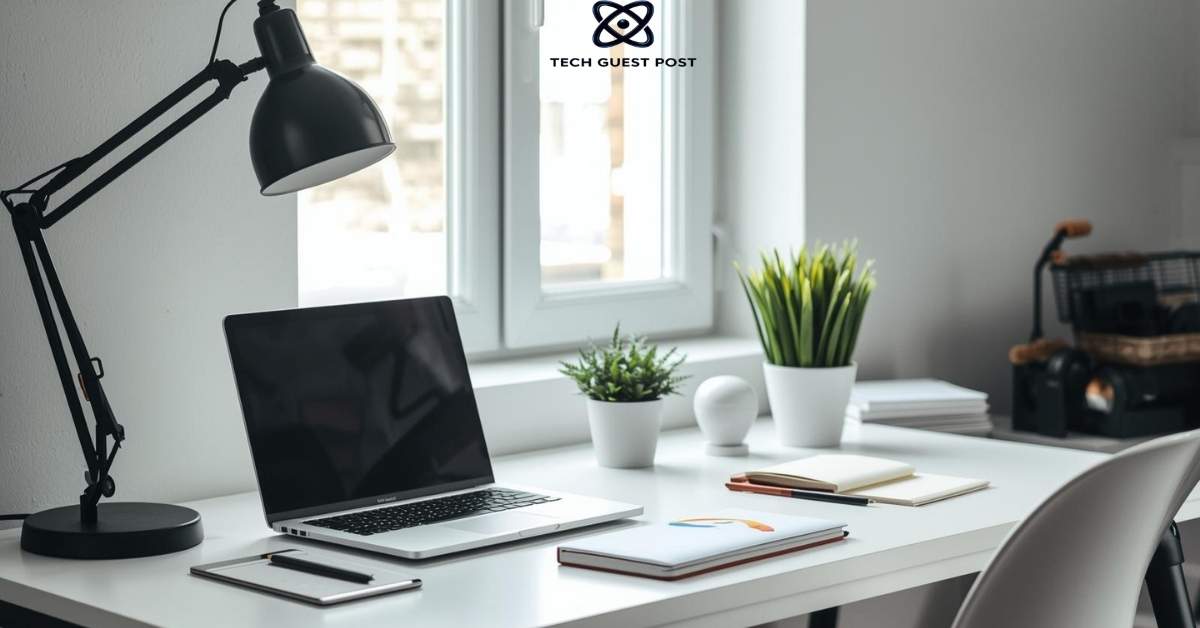
Choose a Lamp or Desk Lamp
Not everyone wants a monitor light bar, and that’s perfectly fine. A classic desk lamp works just as well and comes with far more personality.
Architect-style lamps with adjustable arms give you directional control. Warm Edison-bulb styles add a cozy, ambient feel. If you photograph your setup regularly for social media or video calls, a lamp with a diffused glow will make your background look polished and professional.
Good workspace lighting ideas don’t have to be expensive. Sometimes a well-placed lamp from a thrift store does the job beautifully.
Use Cable Management Solutions
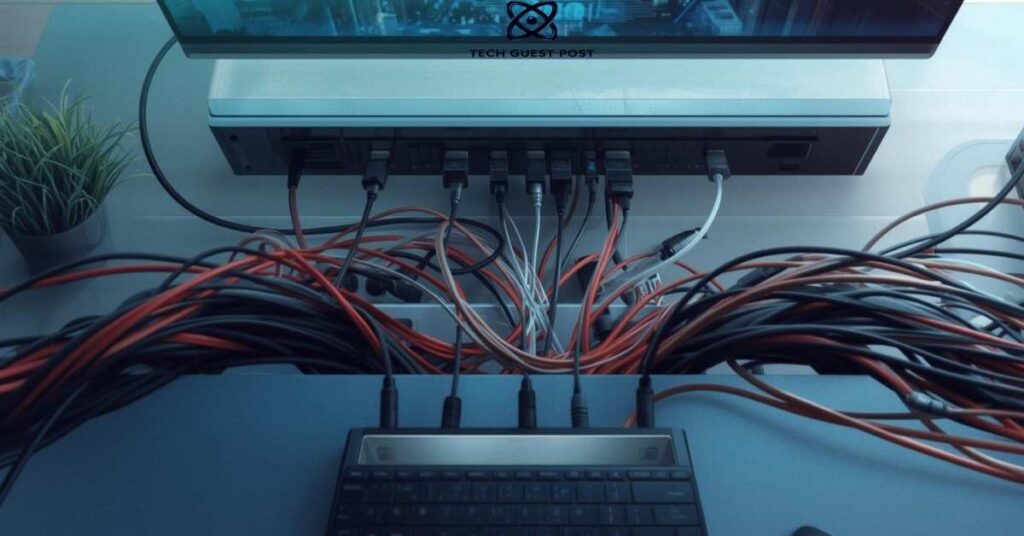
Cables are the enemy of a clean desk. One tangled mess behind your monitor can undermine an otherwise beautiful setup.
Cable trays that mount under the desk hide power strips and excess cord length completely. Velcro cable ties bundle cords together neatly. Cable clips along the desk edge keep individual cables routed where you want them. A cable management spine or sleeve can turn multiple cables running down a desk leg into a single, tidy bundle.
Spend an afternoon sorting this out once and you’ll never go back to cable chaos again.
Include House Plants
Plants do something no gadget or accessory can. They bring life into a space. Literally. A small succulent on the corner of your desk, a trailing pothos on a nearby shelf, or a compact snake plant in the corner adds color, texture, and a calming quality to your environment.
Research consistently suggests that having greenery in your workspace reduces stress and improves focus. You don’t need to become a plant parent overnight. Start with one low-maintenance variety and see how it changes the feel of your space.
Add a Footrest
This one tends to get skipped, but if your chair doesn’t allow your feet to sit flat on the floor comfortably, a footrest is a posture game-changer. It reduces pressure on your lower back and keeps your hips at a healthier angle throughout the day.
Ergonomic desk setups often overlook the lower half of the body entirely. Don’t make that mistake.
Invest in an Ergonomic Chair
If there’s one place worth spending serious money in a home office, it’s your chair. You sit in it all day. A bad chair leads to back pain, fatigue, and reduced concentration. A good one supports your lumbar spine, encourages upright posture, and adjusts to your specific body proportions.
Look for adjustable armrests, lumbar support, and seat depth adjustment as a minimum. Brands like Herman Miller and Secretlab are popular for good reason. But there are solid mid-range options available too if you’re working within a tighter budget.
Utilize Vertical Space with Pegboard
A pegboard mounted on the wall above or beside your desk is one of the most versatile organizational tools available. You can hang hooks, shelves, baskets, pen holders, headphone hooks, and small accessories in any configuration you like, then rearrange them whenever your needs change.
It’s especially useful for creatives and makers who have a lot of tools and supplies that benefit from being visible and within easy reach. Pegboards come in wood, metal, and even fabric-covered versions for a more refined look.
Incorporate RGB Strip Lights
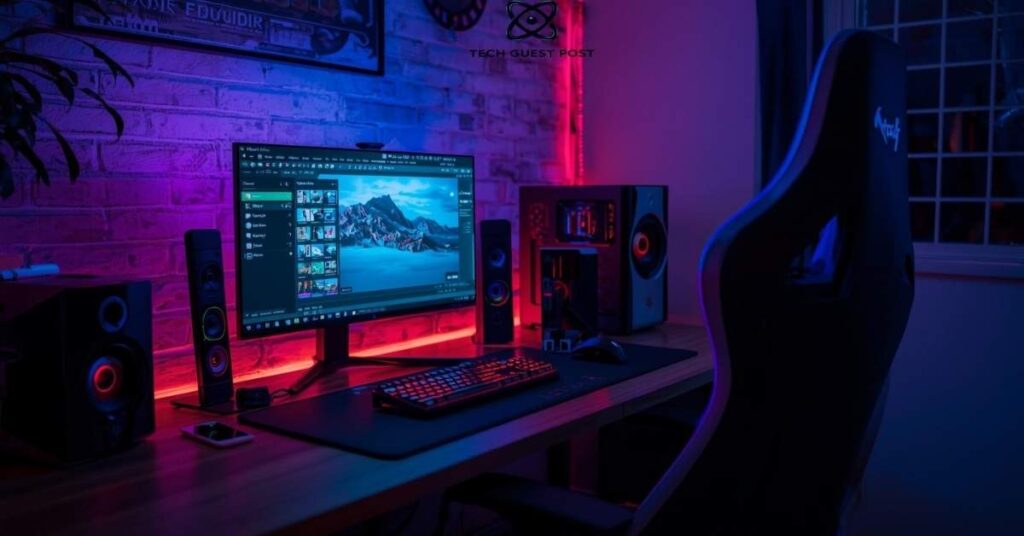
RGB strip lights might seem like purely a gaming desk setup choice, but they’ve become mainstream for a reason. A strip of lights along the back of your desk or behind your monitor creates a beautiful ambient glow that reduces eye strain during evening work sessions by increasing the perceived brightness of the surrounding environment.
You can set them to a single calm color for focus work or cycle through colors when you want something more dynamic. Smart versions connect to apps for easy control
Try a Wooden Sound Diffuser
This one’s a bit unexpected, and that’s exactly why it works so well. A wooden sound diffuser panel mounted on the wall behind your desk has a dual purpose. It breaks up sound reflections in the room, which improves audio quality on calls and recordings, and it looks genuinely stunning.
The geometric, sculptural quality of these panels adds warmth and texture to what might otherwise be a flat, plain wall. It’s an especially smart choice if you do podcasting, music production, or regular video meetings.
Choose a Noise-Canceling Headphones Stand
If you own a quality pair of headphones, they deserve a proper home. A dedicated stand keeps them off the desk surface, prevents cable tangling, and adds a refined, considered quality to your setup.
Some stands include a built-in USB hub or wireless charger at the base, adding function alongside form. It’s a small detail that signals intentionality in your workspace design.
Consider a Standing Desk Converter
Not ready to commit to a full standing desk? A converter sits on top of your existing desk and raises your monitor and keyboard to standing height when you want them there.
It’s a more affordable entry point into the ergonomic workspace category and doesn’t require replacing your current desk. If you experience afternoon energy slumps, alternating between sitting and standing can genuinely help.
Think about a Standing Desk for Dynamics
A motorized standing desk takes things further. With the press of a button, your entire surface rises or lowers to your preferred height. You can save multiple preset heights for different tasks or different users sharing the same space.
Standing desks have become a staple of productivity workspace ideas for good reason. They encourage movement throughout the day, support better circulation, and let you change your physical posture without breaking your workflow.
Choose the Right Location
Where you place your desk in a room matters as much as what you put on it. A desk facing a blank wall can feel suffocating. A desk in a high-traffic area can be endlessly distracting.
Ideally, position your desk where you have some visual depth in front of you and where foot traffic behind you is minimal. If privacy is important, face the door rather than having your back to it. That subtle psychological shift can make focused work feel easier and more natural.
Utilize Natural Light
Natural light is the best possible lighting for any workspace. It improves mood, regulates your body’s circadian rhythm, and reduces the eye strain that comes from working under purely artificial light.
Position your desk so natural light comes from the side rather than directly behind or in front of your monitor. Light from behind creates glare on your screen. Light from the front creates uncomfortable contrast. Side-lit is the sweet spot for comfortable, all-day workspace lighting.
Install a Cork Board or Cork Wall
A cork board above your desk is a simple, tactile way to keep notes, inspiration, photos, and reminders visible without cluttering your desk surface.
Go bigger if you can. A full cork wall panel or a large framed board makes a strong visual statement while staying practical. Pin things that actually matter to your current projects, not just random scraps. Keep it curated and it becomes a living mood board for your work.
Try a Neon Sign or Word
A neon sign adds personality in a way that almost nothing else does. Whether it’s a motivational word, a simple shape, or something witty and personal, a neon sign creates instant character in a workspace.
LED neon alternatives are more affordable, use less power, and produce less heat than traditional glass neon. Many are fully customizable, so you can pick exactly the word or phrase that resonates with you. It’s the kind of detail that makes a setup feel uniquely yours.
Utilize Filing Cabinets
Paper is annoying. It piles up on desks everywhere. A small filing cabinet, whether standalone or rolling, solves this problem elegantly. You can tuck it under the desk or beside it and keep all physical documents organized by category inside hanging folders.
Rolling versions are especially convenient. They can slide under the desk when not needed and pull out when you need access. Some even have a flat top that doubles as a small side surface for a plant or speaker.
Put a Digital Clock or Timer on the Desk
A physical clock on your desk keeps you time-aware without requiring you to glance at your phone or computer, which inevitably leads to distraction. A minimalist digital clock with clean typography fits well in most modern setups.
Even better, a visible countdown timer supports time-blocking and Pomodoro-style work sessions. Knowing a 25-minute focus block is ticking down keeps you on task in a way that phone timers rarely do.
Add a Mini Bookshelf or Cube Unit
If you keep reference books, notebooks, or physical resources nearby, a small bookshelf or cube unit beside or behind your desk keeps them accessible without piling up on the work surface.
Cube units are especially flexible. You can mix open shelving with small storage boxes, add a decorative item or two, and arrange things in a way that reflects your personality. It’s functional storage that also contributes to the overall aesthetic of the space.
Set up a Creative PC Case
If your setup includes a desktop PC, the case is a visual element worth thinking about. Modern tempered glass cases with visible interiors and RGB lighting have turned PC builds into genuine display pieces.
A well-chosen case with tasteful lighting and clean cable management inside can become a centerpiece of your desk setup rather than just a box tucked away under the surface. It’s the kind of detail that other enthusiasts immediately notice and appreciate.
Decorate with an Air Purifier
Air quality in enclosed home offices is often overlooked. A compact air purifier keeps the air clean, reduces allergens, and can subtly reduce mental fatigue associated with stuffy or stale indoor air.
Many modern purifiers are genuinely attractive objects. Slim cylindrical or minimalist boxy designs fit naturally on a desk shelf or floor corner. Some models also function as a gentle white noise generator, which is a useful secondary benefit during focused work.
Make Use of Speakers
Good audio elevates the entire experience of working at a desk. A quality set of compact bookshelf speakers or a well-reviewed Bluetooth speaker adds fullness and depth to your music that laptop or monitor speakers simply cannot match.
Position speakers at roughly ear level and angled inward toward your listening position. Even small improvements in audio quality have a noticeable effect on how enjoyable your workspace feels over the course of a long day.
Put on LED Light Beams
LED light strips mounted vertically along the edges of a wall panel or bookcase create dramatic vertical light columns that add depth and dimension to your workspace background. This works particularly well for setups that appear in photos, videos, or streaming content.
The effect is bold without requiring much investment. Govee and Philips Hue both offer smart LED strips with extensive color and scene customization options.
Use Nanoleaf Lighting
Nanoleaf panels are modular, geometric light panels that mount directly to the wall and connect to form custom shapes. They’ve become a recognizable feature in creative and gaming desk setups worldwide.
What makes them special is the combination of visual impact, smart home integration, and the ability to react to music and screen content in real time. They’re not for minimalist setups, but for spaces where personality and flair are the goal, they deliver something genuinely spectacular.
Add Floating Shelves Above the Desk
Floating shelves above your desk create a display zone that keeps items off the work surface while still being part of the overall visual composition. Books, small plants, a speaker, a framed print, a candle holder. All of these feel intentional when placed on a well-positioned shelf.
Choose shelves in a material and tone that complements your desk. Dark wood with light walls, white shelves against deep-toned walls. The contrast creates visual interest without competition.
Tidy Up with Magnetic Strips
Magnetic strips mounted on the wall are an underused organizational tool outside of kitchens. In a workspace, they’re brilliant for holding scissors, ruler, screwdrivers, small tools, and even metal-back accessories.
For artists or makers who work with physical tools regularly, a magnetic strip keeps frequently used items visible, accessible, and completely off the desk surface. Clean and clever.
Use an Oil Diffuser or Scent Candle
Scent affects mood and focus more than people acknowledge. A subtle essential oil diffuser running lavender during creative sessions or eucalyptus during focused research can genuinely shift your mental state.
A scented candle serves a similar purpose while also adding warm, flickering light to the space. Just make sure you’re not working in a poorly ventilated area where fragrance builds up too intensely.
Incorporate a Charging Station
Tangled charging cables scattered across a desk are one of the quickest ways to make a setup look messy. A centralized charging station, whether a multi-device wireless pad or a docked hub with organized cable outputs, consolidates all your device charging in one clean spot.
Some charging stations include a small tray or holder for your phone, AirPods case, and smartwatch. Everything charged, everything tidy, everything in one place.
Hang a Greenery Vine for Some Life
Beyond potted plants, hanging vine plants along a wall, shelf edge, or from a small hook bring a lush, organic quality to a desk space that feels distinctly alive. Pothos and heartleaf philodendrons are especially popular for this because they trail naturally, require minimal care, and thrive in indirect light.
Even artificial vines, done tastefully, add visual softness to a setup dominated by hard surfaces and right angles
Use Art as a Statement
What’s on your wall behind your desk says something about who you are. A single large print, a framed poster, a canvas, or even a piece of your own work creates a focal point that anchors the space visually.
Choose something that genuinely resonates with you rather than something that just seems popular or trendy. Authentic choices always look more considered than generic inspirational prints that could belong to anyone.
Opt for a Calendar
A physical wall calendar or desk calendar keeps you visually anchored to time in a way that digital calendars often don’t. When your schedule is visible in your physical environment, it’s harder to mentally drift away from deadlines and commitments.
Illustrated monthly calendars have become popular as aesthetic desk accessories in their own right. Some are genuinely beautiful objects that contribute to the visual character of a setup.
Set up a Soundproof Space
If noise is a real problem in your workspace, acoustic panels or foam tiles on the walls reduce sound reflection and create a quieter, more focused environment. This is particularly valuable for anyone on frequent calls, recording audio content, or simply sensitive to ambient noise.
You don’t need to cover every wall. Even two or three panels strategically placed behind and to the sides of your desk position make a meaningful acoustic difference.
Choose a Color Scheme
This is the invisible framework that ties everything together. A consistent color palette across your desk accessories, wall color, lighting tone, and decorative items makes a setup look cohesive and intentional rather than assembled from random parts.
Popular palettes for modern workspaces include warm neutrals with wood accents, all-white minimal with black hardware, deep greens with brass elements, and dark moody setups with selective pops of color through lighting. Pick one and commit to it across your choices.
Use Fairy Light Strings
Fairy lights are perpetually underestimated. Draped along a shelf edge, wound around a plant, or strung behind your monitor, they add a soft, warm glow that makes any space feel instantly more inviting.
They’re inexpensive, flexible, and available in dozens of styles. Copper wire fairy lights look especially elegant. Plug-in or battery versions give you flexibility in placement without requiring additional cable routing. It’s a simple, low-effort addition with a disproportionately high visual return.
Final Thoughts
Building the perfect desk setup isn’t about spending the most money or copying someone else’s aesthetic from social media. It’s about understanding how you work, what environment helps you focus, and which elements genuinely serve your daily routine.
Start with the fundamentals. Get your ergonomics right. Sort your cables. Find a lighting setup that works for your schedule and your eyes. Then layer in the personality and the details gradually over time.
The best desk setups evolve. They’re never truly finished. And that’s part of what makes creating and refining your workspace so genuinely satisfying.
FAQ’s
What are the most important elements of a good desk setup?
Ergonomics, lighting, and organization are the three pillars. Get your chair, monitor height, and lighting sorted first before adding accessories.
How do I make my desk setup look more aesthetic?
Choose a consistent color palette, use a desk pad to unify the surface, add one or two plants, and manage your cables cleanly. Small changes make a big visible difference.
What is the best lighting for a desk workspace?
Natural side-lit light during the day is ideal. For artificial lighting, a monitor light bar combined with a warm ambient source behind the screen reduces eye strain effectively.
How do I manage cables on my desk?
Use a combination of cable trays under the desk, velcro ties to bundle cords, cable clips along the desk edge, and a cable spine or sleeve for anything running vertically down desk legs.
Is a standing desk actually worth it?
For people who work long hours seated, yes. Alternating between sitting and standing throughout the day improves circulation, reduces back tension, and helps maintain energy levels across the workday.

Evan Cole is a tech enthusiast and digital strategist with years of experience in content marketing and SaaS trends. He explores emerging technologies, AI innovations, and SEO-driven growth strategies. Evan’s insights help readers understand complex tech topics through practical examples and real-world applications that inspire smarter digital solutions.